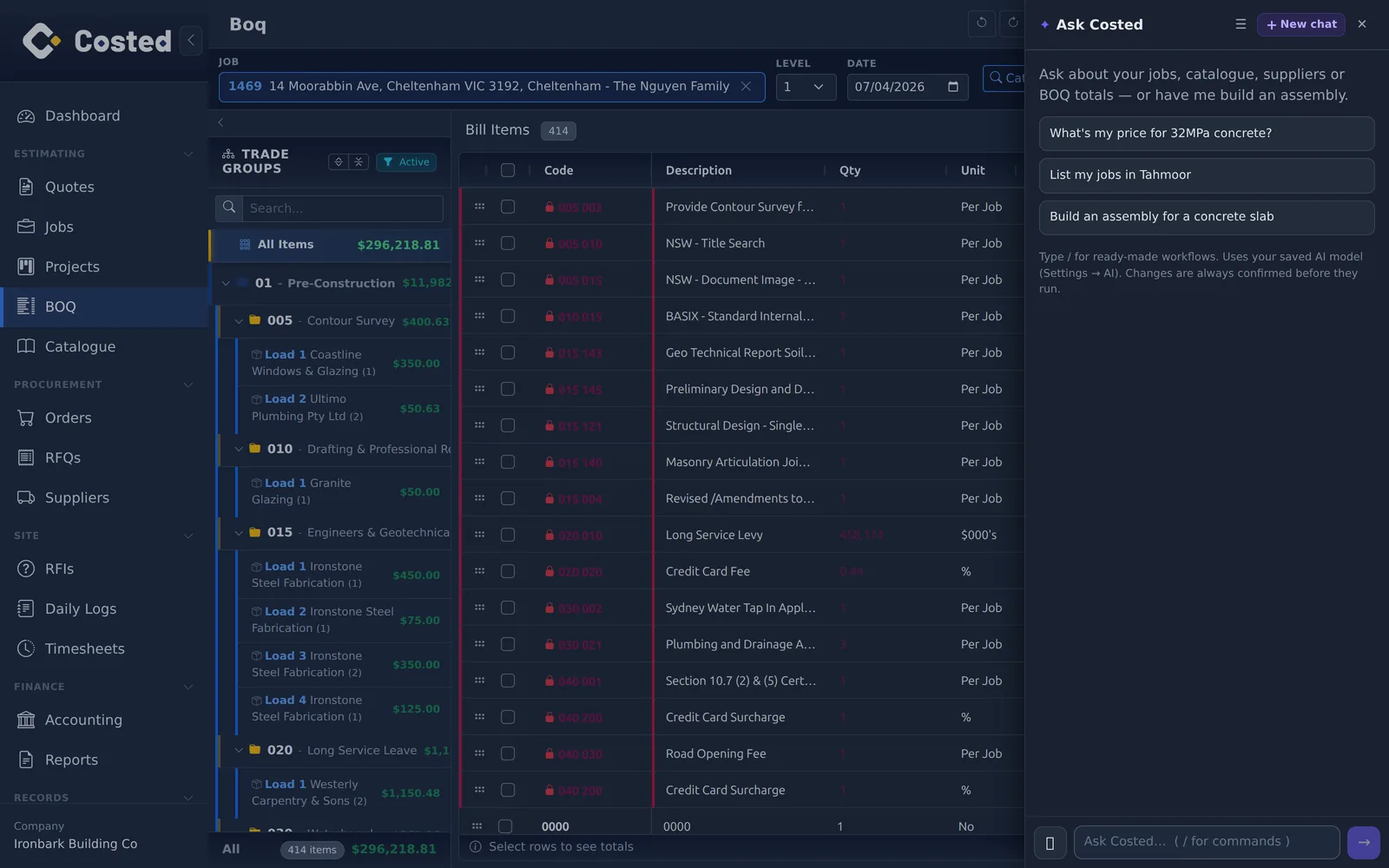
Ask Costed sits inside every screen. It looks things up instantly — jobs, the BOQ, suppliers, documents, the sales pipeline — and when you ask it to change something it drafts, records or loads, then stops for your approval. Every change it makes lands in AI Activity, named and linked, with a ✨ on the record until someone has looked.
"How is job 1483 tracking?" "Which lines on this BOQ have no price?" "Show me the open leads." It answers from your data — job cost, the bill, catalogue prices, supplier quotes, documents including scanned text, the sales pipeline — never from a guess.
Create catalogue items in one approval, set a recipe, add lines to a job's BOQ as a new load, prepare an RFQ, draft a quote for a lead, file or rename documents, draft a transmittal or a report layout. Nothing is sent, ordered, approved or posted by the AI — those buttons stay yours.
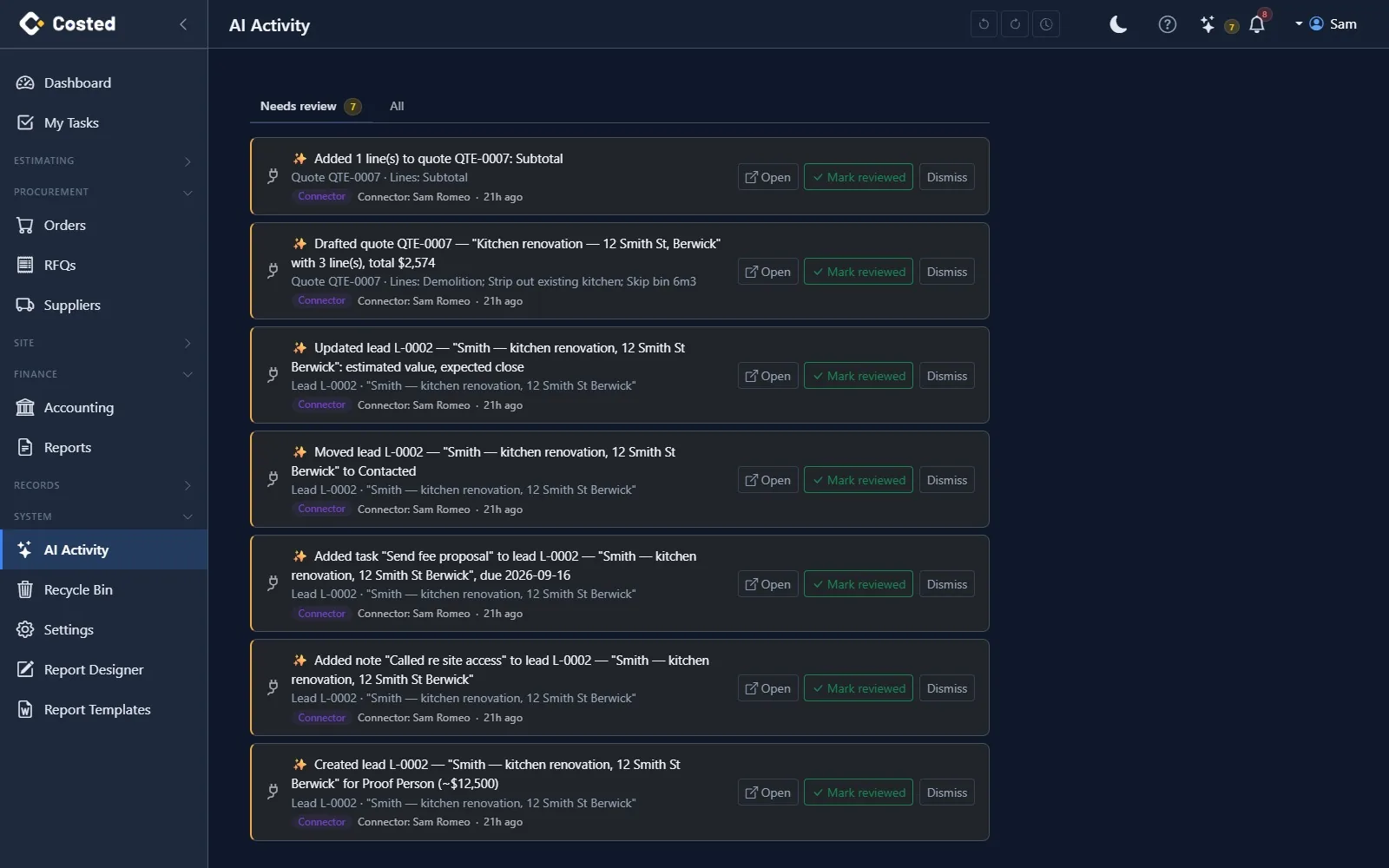
Every AI-made change, named: "Drafted quote QTE-0007 with 3 lines, total $2,574", the lines it added, who it acted for, when. Open lands on the record. Mark reviewed or dismiss; until then the record wears a ✨ wherever it appears — the quote row, each added line, the lead card, the BOQ load, the document.
Create a lead from an enquiry, log the call, move it along the pipeline, draft the quote with headings and priced lines. Sending the proposal, accepting it and turning it into a job are done by a person on the Quote screen.
A Model Context Protocol server exposes 70 tools, read and write, with the same guard rails. Connect Claude or any MCP-compatible assistant with an API key you can scope and revoke. Your own model key for Ask Costed, set once in Settings.
Slash commands for the jobs you repeat: price a scope, find the gaps in an estimate, check catalogue price health, tidy a job's documents to your naming convention, build a transmittal from the latest revisions.
AI Activity is the audit trail: source (assistant or connector), the person it acted for, the record, the detail, the review status — and a way straight to the record to check it or fix it the normal way.
14-day free trial. No credit card. Your data, your call.