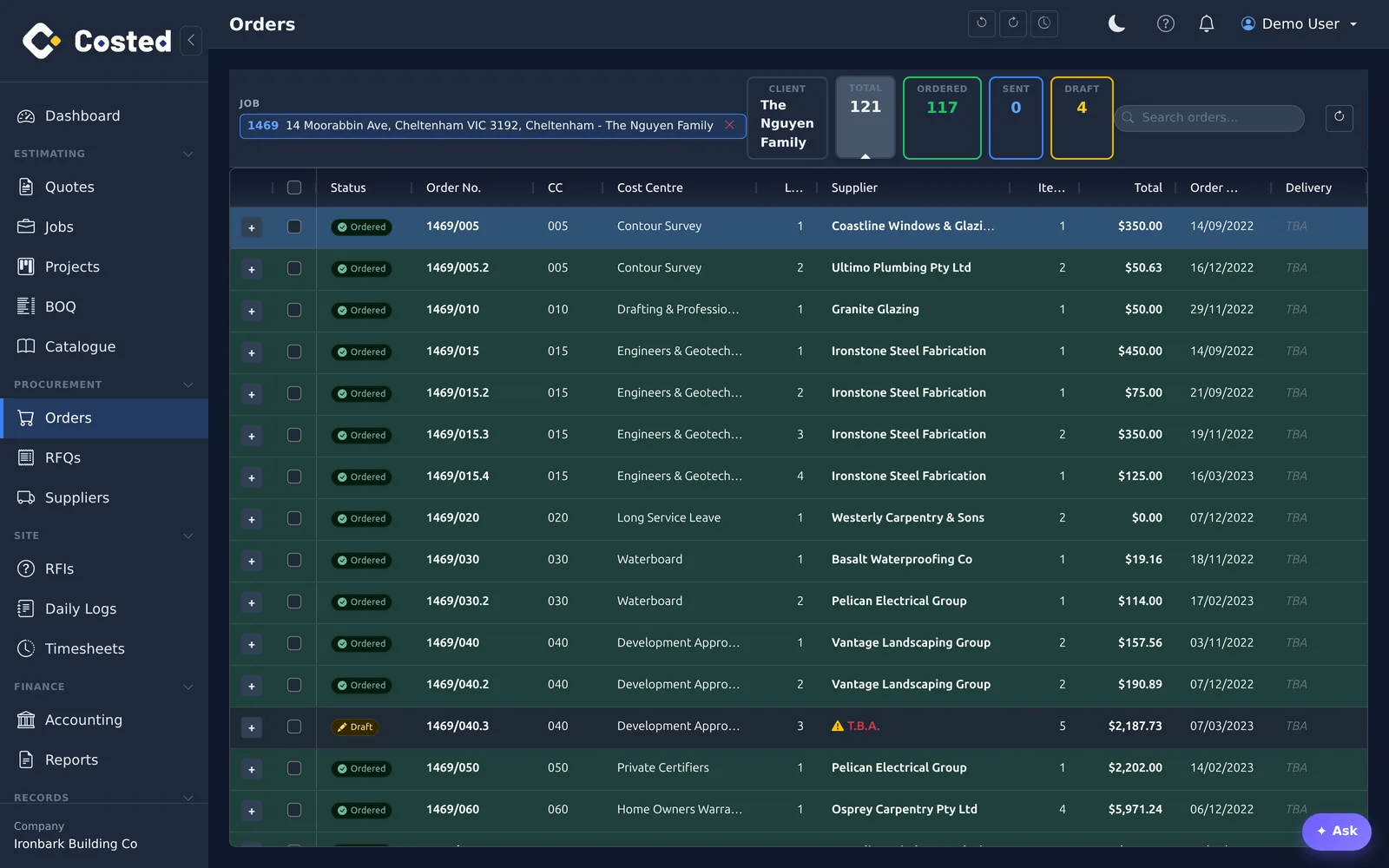
Raise POs straight off the BOQ, cost centre by cost centre. Ordered lines are locked and tracked against the estimate — so you always know what is spoken for.
No separate ordering spreadsheet. Select the lines, pick the supplier, raise the order — quantities and prices come from the BOQ you already priced.
Once a line is on an order it is marked and tracked in the BOQ. Committed cost per job and per cost centre is a number you can read, not reconstruct.
Record what actually arrived, keep backorders visible, and match supplier invoices against the order when they land.
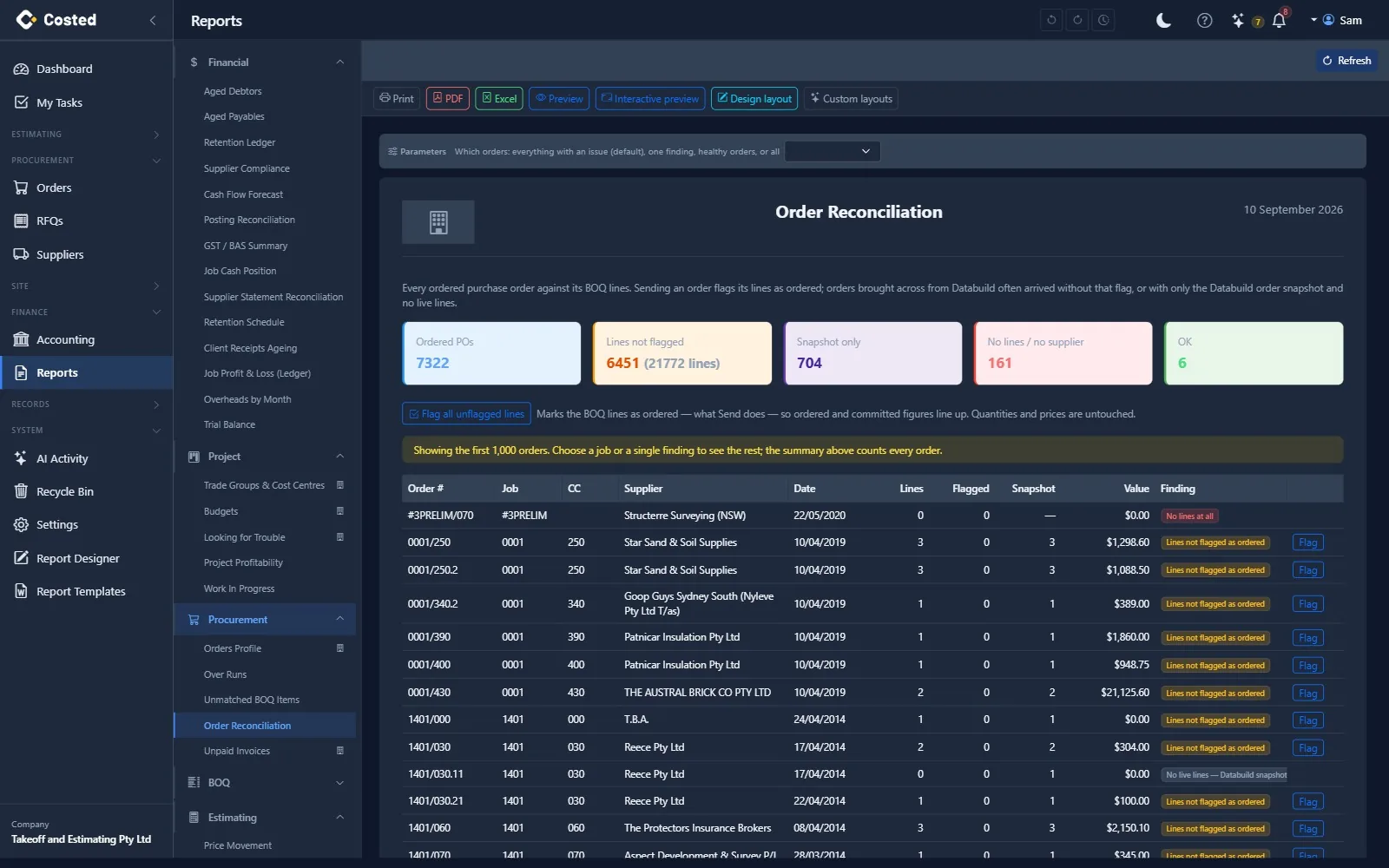
Send purchase orders to Xero or QuickBooks when they are placed, or let the bookkeeper enter the bill in the package against the PO and have it pulled back onto the job. An Order Reconciliation report checks every ordered PO against its BOQ lines and fixes the flags in one click.
Every order has one of four states and moves between them only through the actions that make sense — so a committed number is a number you can trust.
Being prepared. Lines can be added and edited; the number is issued by costed from the job, cost centre and load. A draft with no lines will not send.
Sent to the supplier (email with reply-to, PDF archived). Lines lock and are flagged as ordered in the BOQ, the commitment is raised in the ledger, and — if you choose — the PO goes to Xero or QuickBooks. Sending can be limited to owners, admins and managers.
Complete closes an order that is delivered and invoiced. Cancel releases the lines and the commitment and keeps the reason; a cancelled order can be reinstated as a draft. Nothing is silently deleted.
Orders brought across from a legacy system often arrive without their lines flagged as ordered, or with only the old order snapshot. The Order Reconciliation report finds every one of them, tells you what is wrong, and fixes the flags in one click — so ordered and committed figures line up.
14-day free trial. No credit card. Your data, your call.